Assessment
Review the current NetMRI deployment, inventory, credentials, groups, and operational workflows.
Migrate from Infoblox NetMRI to LogicVein netLD while preserving the operational practices, device inventory, configuration management workflows, and compliance processes your team relies on every day. LogicVein provides migration tooling and expert guidance to help organizations modernize their Network Configuration and Change Management environment without starting over.
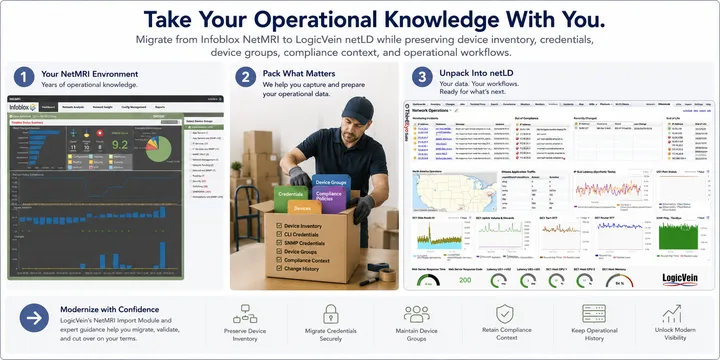
A successful migration is more than moving devices from one system to another. Organizations evaluating alternatives to NetMRI often need to preserve operational data, workflows, and context that would be expensive and risky to recreate manually.
LogicVein's NetMRI Import Module helps automate portions of the migration process by importing supported operational data from NetMRI into netLD. The goal is to reduce manual re-entry, preserve useful structure, and give teams a clean validation path before production cutover.
Because every environment is different, imported data should be reviewed and validated as part of a structured migration process. After import, teams can run discovery in LogicVein, confirm adapter support, validate configuration backups, and begin mapping compliance and change-control workflows.
netLD provides a modern platform for configuration backup and recovery, change tracking, compliance validation, device lifecycle management, operational reporting, and multi-vendor network management. Many organizations use migration as an opportunity to simplify operations while improving visibility and control.
Review the current NetMRI deployment, inventory, credentials, groups, and operational workflows.
Use the NetMRI Import Module to transfer supported data into the LogicVein environment.
Validate discovery, adapter matching, configuration backup, credentials, and device organization.
Transition production workflows in phases, with compliance and change-control practices mapped into netLD.
The import module focuses on data that is painful to recreate by hand, including device inventory, credentials, and device groups where supported by the source environment.
No. Many organizations can perform parts of the migration themselves using LogicVein's migration tooling and evaluation software. Larger environments often benefit from migration planning, workflow mapping, validation assistance, and phased cutover support.
Yes. Teams can evaluate LogicVein before production cutover, review the NetMRI migration white paper, and discuss migration scope with LogicVein.
No. LogicVein NetMRI migration tooling is independent and is not affiliated with or endorsed by Infoblox, Inc. NetMRI and Infoblox are trademarks of Infoblox, Inc.
Understand, monitor, and control your network with ThirdEye, free for 30 days.