
The Everyday Network Jobs You Shouldn’t Be Doing Manually
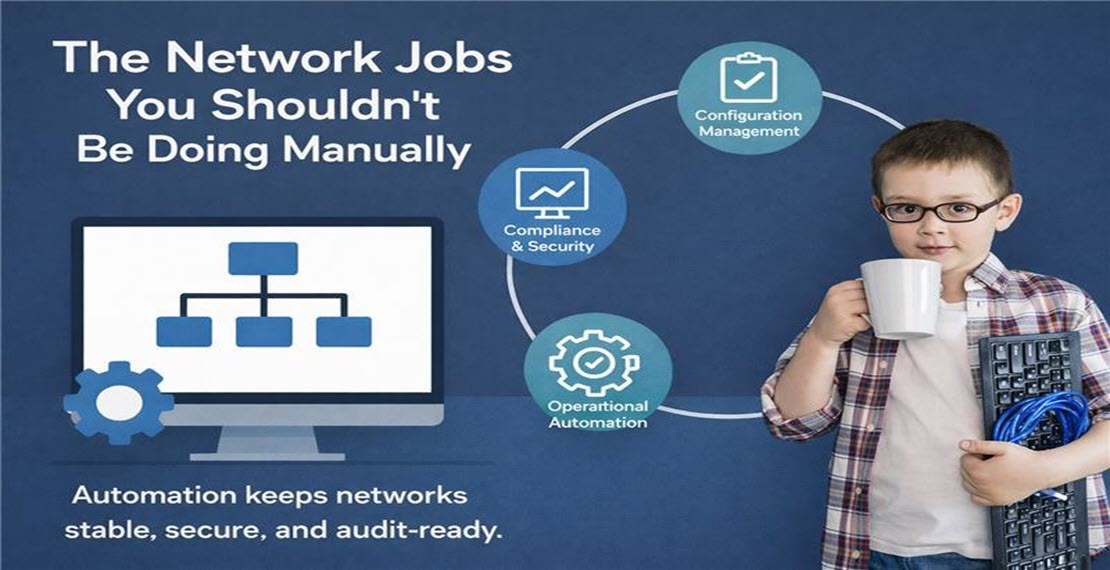
Modern networks don’t fail because engineers lack skill — they fail because repetitive operational work steals time, introduces human error, and hides risk in plain sight. Configuration management and automation shouldn’t be “nice to have.” They should quietly handle the background work that keeps your network stable, secure, and audit-ready. Here are the core network jobs that high-performing teams are automating today — and why it matters.
Configuration Management: Stability Starts Here
Networks change constantly, but those changes shouldn’t create uncertainty.
Key automated jobs:
• Nightly backup of running and startup configurations
• Detect and alert on configuration drift
• One-click rollback to last known good configuration
• Archive configs for audit and historical reference
• Compare configs across sites or device groups
When configs are continuously tracked and versioned, troubleshooting becomes faster and outages become less frequent.
Compliance & Security: Reduce Risk Without Extra Tools
Security misconfigurations often go unnoticed until they become incidents — or audit findings.
Smart compliance automation can:
• Validate configurations against PCI, SOX, CIS, or internal standards
• Detect insecure settings (weak passwords, SNMP v2, telnet, etc.)
• Automatically remediate policy violations
• Generate audit-ready compliance reports
• Track and alert on unauthorized configuration changes
Instead of scrambling during audits, teams operate in a continuous state of compliance. Read more about compliance here
Change Management: Confidence in Every Change
Every change introduces risk. The goal isn’t to stop change — it’s to make it safe and traceable.
Essential change control jobs include:
• Pre-change configuration snapshots
• Post-change validation
• Auto-rollback if a change introduces errors
• Logging who changed what, when, and how
• Enforcing approval workflows for changes
With automated change tracking, teams can answer the most important question in seconds: “What changed?”
Operational Automation: Eliminate the Repetitive Work
Engineers shouldn’t spend their day doing the same manual tasks across dozens or hundreds of devices.
Operational automation covers:
• Shut / no-shut interface actions
• Resetting flapping ports
• Pushing standardized VLAN or routing configurations
• Bulk updates across multiple sites
• OS and firmware upgrades
Repeatable tasks become reliable workflows — not late-night maintenance risks. Read more about automation here
Incident Response: Faster Recovery, Less Guesswork
When something breaks, time matters. Automation helps gather the right data immediately and reduce alert noise.
Critical incident jobs include:
• Detecting “interface down” and auto-investigating
• Suppressing downstream alerts when a core device fails
• Gathering logs, configs, and interface stats automatically
• Triggering remediation workflows
• Notifying teams via Slack, Teams, or email
Instead of chasing alerts, teams focus on fixing root cause.
Lifecycle & Maintenance: Stay Ahead of Problems
Networks age. Hardware refreshes happen. Mergers expand environments. Manual tracking doesn’t scale.
Lifecycle jobs include:
• Identifying devices approaching EOL/EOS
• Validating configs before hardware refreshes
• Preparing configs for device replacements
• Cleaning up unused interfaces or outdated settings
• Standardizing configurations after mergers or expansions
Automation keeps environments clean, current, and consistent. Read more about lifecycle here
Integration: Connecting Network Ops to the Rest of IT
Network operations don’t live in isolation. Integrations ensure network events drive the right actions across IT.
Common integration jobs:
• Opening ServiceNow or Jira tickets on configuration changes
• Pushing device data into CMDB systems
• Triggering automation from monitoring alerts
• Exporting configuration data via API
• Feeding compliance results into SIEM or security platforms
The network becomes part of the broader operational workflow, not a silo.
The Big Picture: Less Manual Work, More Reliable Networks
These jobs aren’t flashy — but they are the difference between:
• Reactive firefighting and proactive operations
• Audit panic and audit readiness
• Fragile networks and resilient ones
Automation doesn’t replace engineers. It amplifies them, giving teams time to focus on architecture, optimization, and innovation instead of repetitive tasks. The most mature network teams aren’t working harder. They’ve just stopped doing the jobs that machines can do better.
Ready to See More?
Whichever approach fits your environment, LogicVein supports it. Watch our series of videos here or see all our features here to see how LogicVein can simplify your network operations while keeping access tightly controlled. Ready to see LogicVein in action? Request a Demo and discover how you can simplify operations, improve reliability, and gain full network visibility.
#LogicVein #SmartBridge #NetworkAutomation #NetworkManagement #NetworkCompliance #ChangeManagement #MSPTools #MultiVendorNetworks #NCCM