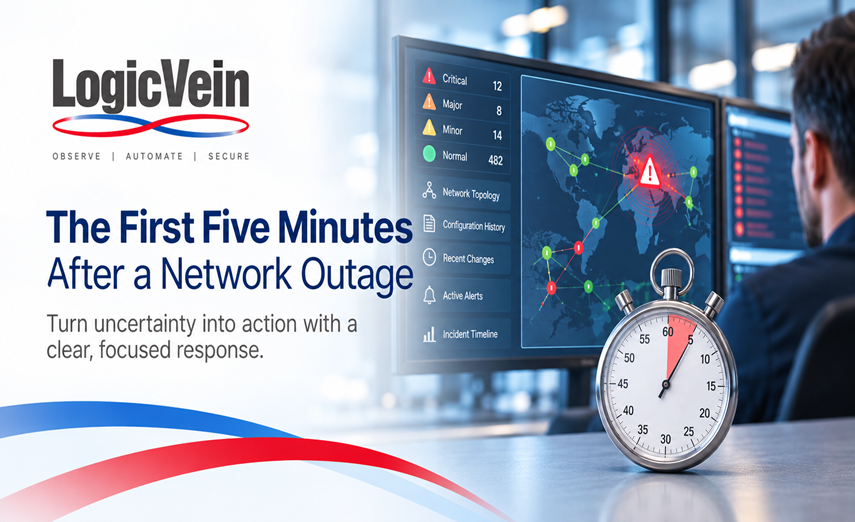

The First Five Minutes After a Network Outage
When a network outage begins, the first five minutes can determine how quickly the problem is understood, contained, and resolved.
Users may already be reporting that applications are unavailable. Monitoring systems may be generating dozens of alerts. Network devices could be unreachable. Operations teams are opening dashboards, checking logs, reviewing recent changes, and trying to determine one thing:
What happened?
During an outage, the challenge is rarely a lack of information.
The challenge is finding the right information quickly enough to make a decision.
That is why the first five minutes matter.
Minute 1: Confirm the Scope
The first question should not immediately be, "What device failed?"
It should be:
"How large is the impact?"
A single unreachable switch is very different from an entire site becoming unavailable.
Before troubleshooting individual devices, determine the scope of the incident:
- Is the problem affecting one device, one location, or multiple locations?
- Are users reporting application problems, connectivity problems, or both?
- Are critical network devices still reachable?
- Did multiple alarms begin at approximately the same time?
- Are WAN, routing, switching, firewall, or wireless systems involved?
A network monitoring system can provide this initial situational awareness by showing which devices and services changed state and when those events occurred.
The objective during the first minute is not to identify the root cause.
It is to understand the size and boundaries of the problem.
Minute 2: Look for the Common Point of Failure
Once the scope is understood, the next step is identifying what the affected systems have in common.
If twenty devices suddenly become unreachable, it is unlikely that twenty devices independently failed at exactly the same moment.
Instead, look for the shared dependency.
That might be:
- A distribution switch
- A WAN circuit
- A firewall
- A router
- A power event
- A routing adjacency
- A common uplink
- A network service such as DNS or DHCP
Topology becomes extremely valuable at this point.
Rather than looking at twenty individual alarms, engineers should be able to see how those devices are connected and identify the infrastructure sitting between healthy and unreachable portions of the network.
This helps transform a wall of alarms into something much more useful:
A failure path.
Minute 3: Ask What Changed
One of the most important questions during any network incident is:
"What changed before the outage?"
Network problems frequently follow configuration changes, software upgrades, maintenance activities, policy updates, or automated tasks.
The problem is that during an outage, engineers may not immediately know whether anything changed.
Someone may have modified a routing policy.
A firewall rule may have been updated.
An interface configuration may have changed.
A scheduled automation task may have executed.
Or the configuration may not have changed at all.
Configuration history allows engineers to quickly compare the current device configuration with a previous known state.
Instead of relying on memory, tickets, chat messages, or manually searching through configuration files, the team can determine whether a configuration change occurred and exactly what changed.
This can quickly eliminate—or confirm—one of the most common causes of network incidents.
Minute 4: Correlate the Evidence
By the fourth minute, the team may already have several pieces of information:
- Device availability
- Interface status
- Network topology
- Configuration changes
- Monitoring alerts
- Syslog messages
- Job history
- Recent automation activity
The challenge now becomes correlation.
Consider a simple example.
A distribution switch becomes unreachable.
Seconds later, thirty access switches also become unreachable.
Monitoring shows that an uplink interface went down immediately before the event.
Configuration history shows that the uplink configuration changed two minutes earlier.
Individually, each piece of information is useful.
Together, they create a timeline.
Configuration change → interface down → distribution switch connectivity lost → downstream devices unreachable
That timeline gives engineers something much more valuable than another alert.
It gives them a direction for investigation.
Minute 5: Decide the Safest Next Action
Once the likely failure point has been identified, the team must determine what to do next.
The fastest action is not always the safest action.
For example, immediately restoring an old configuration might bring connectivity back—but it could also remove other legitimate changes that occurred afterward.
Before making a corrective change, engineers should understand:
- What changed
- Who or what made the change
- Which devices are affected
- What the previous known-good configuration looked like
- Whether rollback is appropriate
- Whether additional dependencies could be affected
This is where configuration management and automation become especially valuable.
Instead of manually rebuilding configuration during an outage, teams can use validated configuration history, approved automation workflows, and known operational procedures to restore services with greater confidence.
The goal is not simply to make a change quickly.
The goal is to make the right change quickly.
Why Outages Become Harder Than They Should Be
Many network outages take longer to troubleshoot because the information needed to understand the problem exists in different systems.
Monitoring may be in one platform.
Configuration backups may be somewhere else.
Syslog data may be in another tool.
Topology might exist in a diagram that has not been updated recently.
Automation history may require checking another application.
Engineers then spend valuable time moving between systems and manually reconstructing what happened.
During a normal troubleshooting session, that may simply be inconvenient.
During an outage, it directly increases Mean Time to Resolution.
The first five minutes should be spent investigating the network—not searching for the tools needed to investigate it.
Building a Better Incident Response Workflow
A strong network operations platform should help engineers answer several questions quickly:
What is down?
Monitoring identifies affected infrastructure and services.
What depends on it?
Topology provides context around upstream and downstream relationships.
What changed?
Configuration history identifies recent device changes.
What happened immediately before the failure?
Events, alerts, jobs, and logs help establish a timeline.
What did the device look like before the incident?
Configuration backups provide a known reference point.
How can we safely restore service?
Automation and configuration management provide controlled methods for remediation.
When these capabilities work together, engineers spend less time collecting information and more time solving the problem.
From Alerts to Answers
This is one of the reasons LogicVein developed ThirdEye Suite to combine network monitoring, configuration management, topology, compliance, and automation within a unified platform.
During an outage, seeing that a device is down is only the beginning.
Operations teams also need to understand:
- What changed
- What else is affected
- How the devices are connected
- What happened immediately before the failure
- What configuration was previously working
- What actions can safely restore service
Bringing that information together provides engineers with context when context matters most.
The Goal: Reduce Time to Understanding
Network outages will happen.
Hardware fails.
Circuits go down.
Configurations change.
Software contains bugs.
People make mistakes.
The objective is not to pretend every outage can be prevented.
The objective is to make sure that when an outage does occur, the network team can understand what happened as quickly as possible.
Because the most important metric during the first five minutes is not how many alerts your monitoring platform generated.
It is how quickly your engineers can answer:
"What happened, what is affected, and what should we do next?"
That is the difference between monitoring a network and truly understanding it.
Final Takeaway
With LogicVein, you don’t just react to changes — you control them.
Watch our series of videos here or see all our features here.
With its combination of discovery, monitoring, compliance, and automation, LogicVein transforms how IT teams manage complex network environments.
Whether you’re looking to reduce manual work, improve network reliability, or gain better visibility into device configurations, LogicVein will provide you with the tools you need—all in a single platform.
Ready to see LogicVein in action? Request a Demo and discover how you can simplify operations, improve reliability, and gain full network visibility.