
Automating the Move from NetMRI to LogicVein
Network teams running legacy NCCM platforms like NetMRI, OpenText Network Automation, SolarWinds NCM, Tivoli, and Spectrum NCM are increasingly looking for a better option. The reasons we hear most often are familiar ones: subscription and support costs climbing year over year for the same feature set, uncertainty about where these products are actually headed, and support experiences that aren't what they used to be.
We've been hearing this from NetMRI customers in particular. So we built something to make the move easier.
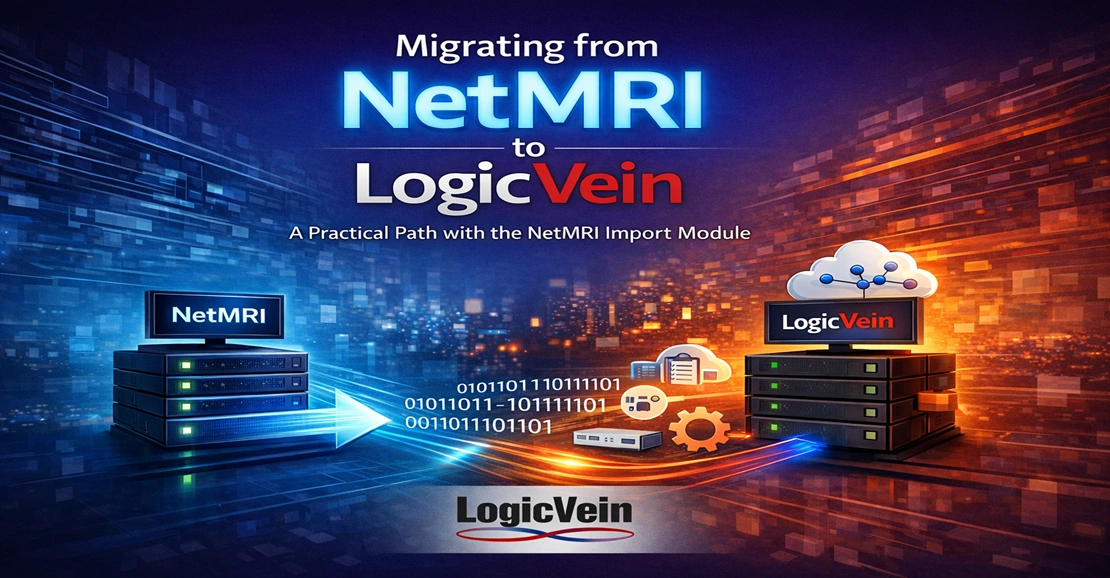
The LogicVein NetMRI Import Module is a new tool that automates the migration of device inventory, SNMP and CLI credentials, and device groups from NetMRI directly into Net LineDancer or ThirdEye Suite. It runs as a single Docker container and replaces what would otherwise be days of manual data entry with an automated import.
What It Migrates
The Import Module focuses on the data that's the most painful to recreate by hand:
-
Device inventory. Every device NetMRI knows about, with addresses and network assignments preserved
-
Credentials. Global SNMPv2c community strings, SNMPv3 credentials, and CLI logins, transferred as a credential configuration in LogicVein
-
Device groups. Group definitions recreated as equivalent groups on the LogicVein side, with empty groups skipped to keep the new inventory clean
-
Discovery ranges. Coming in a forthcoming release, the module will also rebuild NetMRI's discovery ranges as discovery jobs in LogicVein
What you don't have to do: navigate the NetMRI web interface to export device lists, write a Python script to call the LogicVein API, re-key every credential by hand, or hope your spreadsheet survived the round trip. Industry research puts manual data-entry error rates at around one percent, which on a few hundred or few thousand devices is enough to introduce credential mismatches you'll only discover during the next outage.
Easy as 1-2-3
The whole workflow is three commands:
-
Pull the container image from Docker Hub
-
Drop your NetMRI and LogicVein addresses and credentials into a short .env file
-
Run the container
That's it. The container connects to both systems, performs the migration, and exits. Credentials never leave your network. They stay in the local .env file, which you should delete once you're done. Runtime scales with the size of your inventory, but even on larger environments the import is a fraction of what a manual migration would take.
After the import, a single discovery run in LogicVein associates each device with the correct adapter and captures its current configuration. From there, you're operating in LogicVein with the same inventory and credentials you had in NetMRI, now on a modern, actively developed platform built by a vendor whose entire focus is network management.
Read the Full Story
We've published a white paper that walks through the full picture: why teams are looking to move off legacy NCCM tools, how Net LineDancer and ThirdEye map onto NetMRI's feature set, what a manual migration actually costs in time and risk, and a step-by-step look at the Import Module in action.
Read the White Paper: Migrating from NetMRI to LogicVein
Ready to Move?
If you're evaluating alternatives to NetMRI, or already planning the transition, we'd like to help. The Import Module is available now at no charge. Contact sales@logicvein.com to get the current release, or request a demo to see Net LineDancer and ThirdEye Suite in action.
See all our features here or watch our video library to learn more about how LogicVein simplifies network operations.
LogicVein NetMRI Import Module is an independent migration tool and is not affiliated with or endorsed by Infoblox, Inc. NetMRI and Infoblox are trademarks of Infoblox, Inc.